Tibetan Keyboard
by Kharag Edition
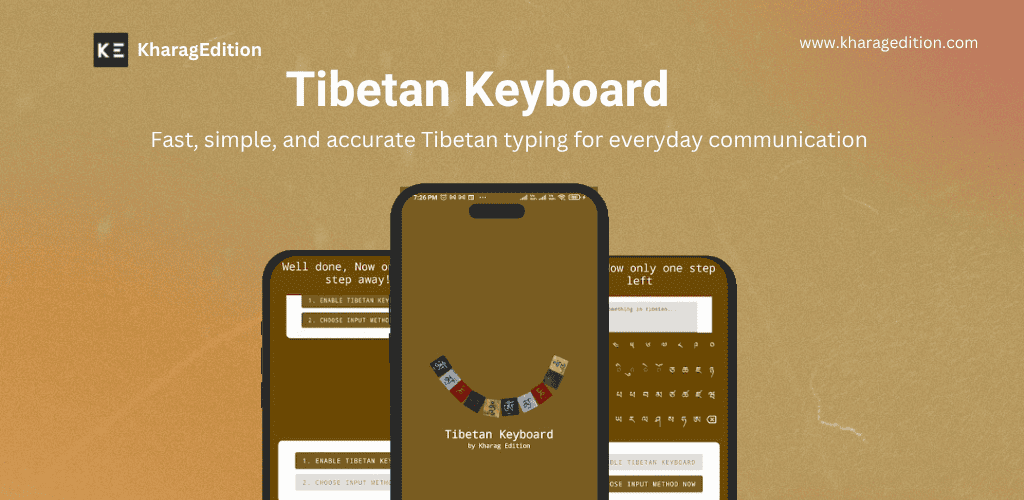
Type Tibetan script on any Android device — all characters, compact & simple
No download needed
Try the Online Tibetan Keyboard
Type Tibetan script right in your browser — Mac & Windows layouts, Monlam standard.
About Tibetan Keyboard
A simple, compact Tibetan keyboard app for Android that includes all Tibetan syllables, special characters, and symbols. Designed with a clean, intuitive interface so you can type Tibetan Unicode text in any app — messages, documents, social media — with ease. Over 50,000 installs on Google Play.
Features
Complete Tibetan character set
Includes all Tibetan syllables, vowel marks, consonants, special characters, and punctuation symbols — nothing is missing.
Compact & lightweight
Small app size designed to fit comfortably on all Android phones and tablets without consuming storage or battery.
Intuitive layout
Clean, user-focused design makes it easy to find and tap the right Tibetan character every time.
Use in any app
Type Tibetan in WhatsApp, Gmail, Notes, social media, and any other Android app — the keyboard works system-wide.
Copy & share instantly
Type your Tibetan text and copy it with one tap to paste anywhere — messages, documents, emails.
Open source
The full keyboard source code is on GitHub. Community contributions — new characters, bug fixes, UI improvements — are welcome.
Tibetan Keyboard — FAQ
Is the Tibetan Keyboard app free?
Yes, the Tibetan Keyboard is free to download and use on Google Play with over 50,000 installs. It may show optional non-intrusive ads in the free version.
Which Android version is required for the Tibetan Keyboard?
The Tibetan Keyboard works on any Android phone or tablet running Android 5.0 or later. Download it on Google Play for free.
Does the Tibetan Keyboard include all Tibetan characters?
Yes — all Tibetan syllables, consonants, vowel marks, special characters, and symbols are included. Nothing important is left out.
Does the Tibetan Keyboard work on iPhone or desktop?
The keyboard app is Android-only. For desktop or browser-based Tibetan typing on any device, use the free online Tibetan Keyboard at kharagedition.com — no download needed.
How do I enable the Tibetan Keyboard on my Android phone?
After installing the app from Google Play, go to Android Settings → General Management → Keyboard → On-screen Keyboard → Manage Keyboards, then toggle on 'Tibetan Keyboard'. After that, open any app, tap a text field, and select the Tibetan Keyboard from your input method selector.
Can I type Tibetan in WhatsApp with this keyboard?
Yes. Once installed and enabled as your input method, the Tibetan Keyboard works in any Android app including WhatsApp, Telegram, Gmail, Facebook, Instagram, Notes, and more. Just tap a text field in any app to bring up the keyboard.
What is the difference between the Tibetan Keyboard app and the online Tibetan keyboard?
The Android app integrates into your phone's system keyboard, so you can type Tibetan in any app on your phone. The free online Tibetan keyboard at kharagedition.com works in your web browser — great for typing on a computer or laptop without installing software.
Is the Tibetan Keyboard open source?
Yes. The full source code for the Tibetan Keyboard Android app is available on GitHub at github.com/KharagEdition/tibetan-keyboard. Community contributions are welcome.
Start exploring Tibetan language tools
Free forever. No account needed.